
Download GPTZero cc – AI Content Detector, Free, Secure Tool
Overview & Key Features
GPTZero cc is a cloud‑native AI content detection service that has quickly become essential for educators, marketers, writers, and developers who need to verify whether a piece of text was generated by an artificial‑intelligence model. The platform operates entirely within a modern web browser, eliminating the need for heavyweight installations while still delivering enterprise‑grade accuracy. Its proprietary algorithm has been trained on millions of human‑written and AI‑generated samples, enabling it to assign a probability score from 0 % (definitely human) to 100 % (definitely AI) in just a few seconds.
This rapid feedback loop is ideal for classroom assignments, editorial workflows, and SEO audits where time is critical. The service is free for casual users, offering up to five scans per day, and scales to professional needs through affordable subscription plans that unlock unlimited scans, bulk‑file uploads, API access, and detailed reporting dashboards. Privacy is a cornerstone of the design: all text is processed in‑memory and discarded immediately after analysis, and the site enforces HTTPS encryption throughout the session.
Users consistently commend GPTZero cc for its intuitive interface, reliable results, and the confidence it provides when publishing content that must be verified as human‑authored.
- Instant AI‑authorship probability score (0‑100 %) displayed with a visual gauge.
- Detection of major models: ChatGPT, GPT‑4, Claude, Gemini, and emerging LLMs.
- Free tier with up to five daily scans; premium plans for unlimited use.
- Bulk upload via CSV and API endpoints for developers and enterprises.
- Historical detection logs and exportable reports (premium only).
- Zero‑storage policy – text never saved beyond the analysis session.
- Multi‑language support (English, Spanish, French, German, Chinese, and more).
- Highlighted suspicious passages with confidence intervals.
- Plug‑in integrations for WordPress, Google Docs, and Microsoft Word.
- Continuous algorithm updates to stay ahead of new AI models.
Installation & Usage Instructions
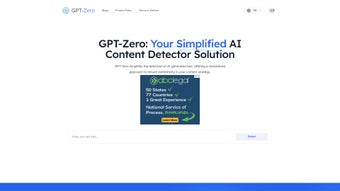
Because GPTZero cc lives in the cloud, there is no traditional installation step. To start, launch any up‑to‑date browser—Chrome, Firefox, Edge, or Safari—on Windows, macOS, Linux, Android, or iOS and navigate to https://gptzero.cc. The landing page presents a clean text area where you can paste up to 10,000 characters per scan.
After pasting, click the bright “Analyze” button; within seconds the platform renders a colored gauge, a numeric score, and a brief confidence summary. For longer documents, select “Upload File” and choose a .txt, .docx, or .pdf file. The system automatically extracts the text, runs the detection engine, and returns the same visual output along with a downloadable PDF report (premium users).
Power users and developers can obtain an API key by creating a free account. The RESTful endpoint follows a simple pattern:
POST https://api.gptzero.cc/v2/detect with a JSON body { "text": "Your content here" }. The response includes score, modelDetected, and an array of highlightedSegments. Comprehensive documentation, example code in Python, JavaScript, and cURL, as well as rate‑limit details, are accessible from the dashboard. Bulk operations are streamlined via CSV upload, allowing up to 1,000 rows per file for batch processing.
Compatibility is universal because all processing occurs on GPTZero’s servers. No additional plugins, system permissions, or local resources are required beyond a stable internet connection. The site adheres to TLS 1.2+ encryption, ensuring that every byte of your text travels securely. For offline convenience, you can create a browser shortcut or add the page to your mobile home screen; the experience remains identical across devices, whether you’re analyzing a research paper on a Windows laptop or checking a marketing brief on an iPad.
Pros, Cons & Frequently Asked Questions
Pros
- Lightning‑fast results with an easy‑to‑read visual score.
- Generous free tier suitable for occasional personal use.
- No download required – works on any device with a modern browser.
- Strong privacy stance: no permanent storage of submitted text.
- Supports a wide range of AI models and multiple languages.
- API and bulk‑upload capabilities for developers and enterprises.
- Continuous algorithm updates maintain high detection accuracy.
Cons
- Free tier limits daily scans, which may frustrate heavy users.
- Premium subscription adds recurring cost for unlimited access.
- Short excerpts (under 100 words) can produce less confident scores.
- Requires an internet connection; no true offline mode.
- Advanced reporting and export features are locked behind higher‑price plans.
FAQ – Frequently Asked Questions
Is GPTZero cc really free to use?
Yes. The basic plan allows up to five scans per day at no cost. Unlimited or bulk usage requires a paid subscription.
Can the tool detect newer models like Claude or Gemini?
Absolutely. GPTZero cc’s algorithm is continuously updated to recognise patterns from the latest large‑language models, including Anthropic’s Claude and Google’s Gemini.
How does GPTZero cc protect my privacy?
All text is processed in‑memory and discarded immediately after analysis. The service uses HTTPS/TLS encryption, and no personal data is retained unless you create a paid account for history tracking.
Do I need special hardware or software to run GPTZero cc?
No. Any device with a modern web browser—Windows, macOS, Linux, Android, or iOS—can access the tool without additional plugins.
What benefits do premium plans provide?
Premium users enjoy unlimited scans, API access, bulk file uploads, detailed segment highlighting, exportable PDF reports, and priority support.
Conclusion & Call to Action
In a world where AI‑generated text is proliferating at breakneck speed, having a reliable detection tool is no longer a luxury—it’s a necessity. GPTZero cc delivers on its promise of speed, accuracy, and ease of use, offering a free tier that lets anyone test its core capabilities without commitment. For professionals who need unlimited scans, API integration, or advanced reporting, the subscription plans scale gracefully while maintaining the same privacy‑first philosophy. Whether you are a teacher safeguarding academic integrity, a marketer protecting brand reputation, or a developer embedding detection into a content pipeline, GPTZero cc provides a secure, browser‑based solution that works across Windows, macOS, Linux, Android, and iOS.
Ready to verify your next piece of writing? Visit GPTZero cc now, paste your text, and see the results instantly. Power users can sign up for an API key and automate detection across their workflows. Trust GPTZero cc to keep your content authentic, credible, and secure.



.png)



